How to Buy a Laptop on Black Friday Without Getting Burned
Black Friday is November 27 this year, and Cyber Monday follows on November 30. The ads are everywhere, and a laptop at a rock-bottom price is hard to resist. But here's something I've seen many times: some of those "doorbuster" laptops are cheap because they're built to be cheap, and they feel slow within a few months.
Here's how to tell a real deal from a regret, in plain English.
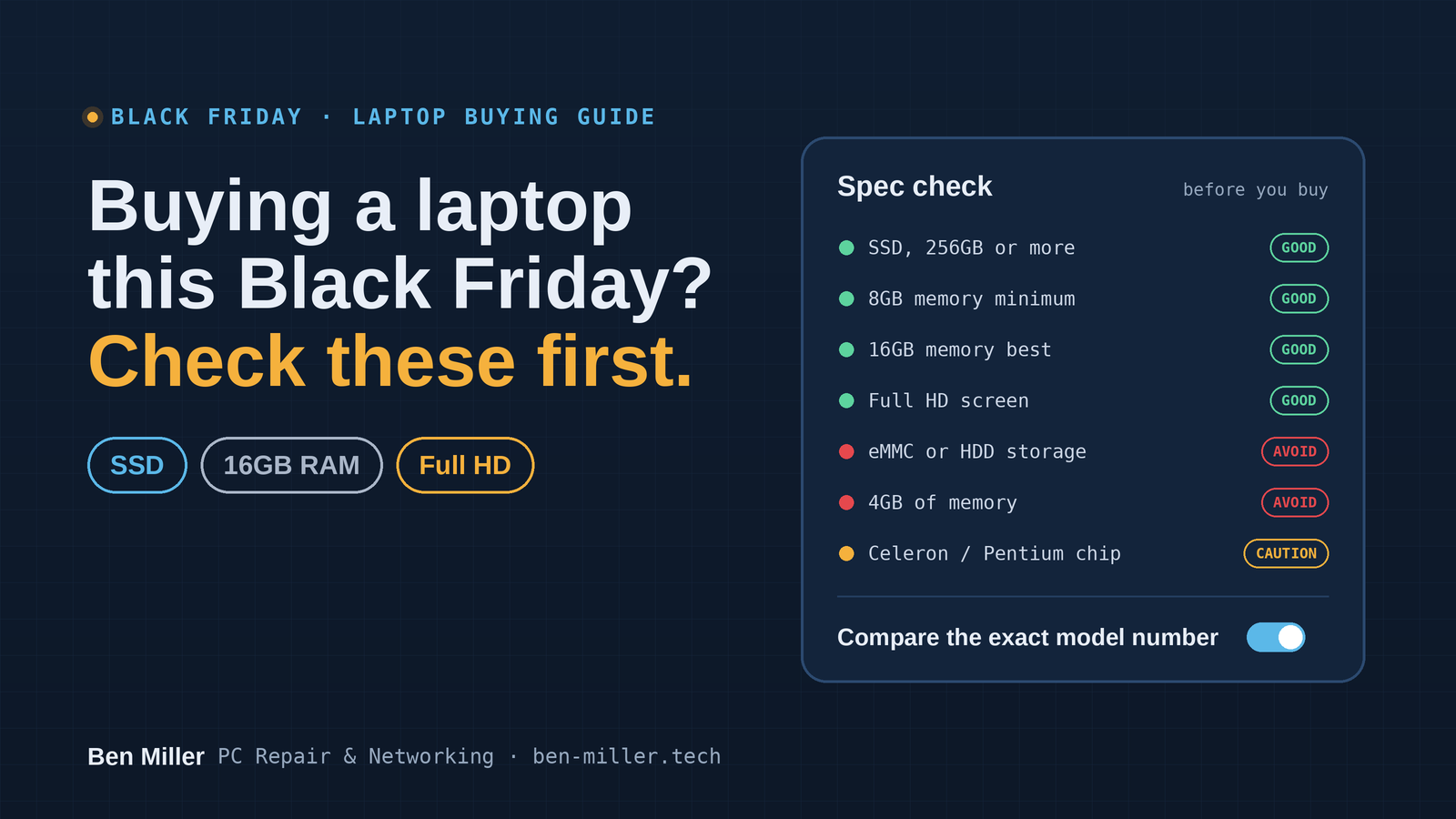
- Look at the storage first: you want an SSD
The storage is where Windows and all your files live. Look for the word SSD (solid-state drive) and a size of 256GB or more. 512GB is better if you keep a lot of photos or programs.
Be careful with these:
- eMMC storage is slow and tiny, usually 32GB or 64GB. It's fine for a basic tablet, but it fills up fast on a laptop, and Windows updates can run out of room.
- HDD (a spinning hard drive) in a new laptop is a red flag. It's the number one reason a computer feels slow.
- Memory (RAM): 8GB is the minimum, 16GB is the sweet spot
Memory is how many things your laptop can handle at once. A laptop with 4GB will struggle with a web browser and a few tabs. 8GB is the minimum I'd accept. 16GB is the sweet spot, and it will keep the laptop useful for years longer.
Check whether the memory can be upgraded. Many newer thin laptops have the memory soldered onto the board, so what you buy is what you're stuck with.
- The processor: the name matters less than the generation
The model name on the sticker, such as "Core i5" or "Ryzen 5", doesn't tell the whole story. The generation matters too, because an old chip with a good name can be a bargain-bin leftover. Here's a simple rule:
- Look for a recent generation, not a model that's been on shelves for years.
- Be cautious with very basic chips like Celeron and Pentium. They're fine for email and a few web pages, but they bog down fast.
- Search the exact model number online. A one-minute search often shows whether it's a newer model or last year's clearance.
- Check the screen
A lot of cheap laptops have a low-quality screen, and you'll be looking at it all day. Look for Full HD (1920 × 1080) or better. If the ad doesn't list the screen resolution at all, that's a hint it isn't great.
- Watch out for "Black Friday only" models
Some stores sell special versions made just for the sales, with slightly different parts than the regular model with a similar name. The price looks great next to the "regular" one, but it isn't the same laptop. Compare the exact model number, not just the brand and name.
- Check the Windows version and the warranty
- New laptops should come with Windows 11. Windows 10 stopped getting regular free updates, so avoid a laptop that can't run Windows 11.
- Check the length of the warranty and whether it covers the battery. A 90-day return window is common, but if you're buying a gift now, make sure the return window will still be open in January.
- Buy from a trusted seller
Black Friday is also busy season for fake shopping sites. If a price looks too good to be true, and it's on a website you've never heard of, it probably is. Stick to well-known stores, type the web address yourself instead of clicking an ad, and pay with a credit card, which gives you extra protection if something goes wrong.
Quick checklist before you click "Buy"
- SSD storage, 256GB or more
- 8GB of memory at the very least, 16GB if possible
- A recent-generation processor, not a bottom-of-the-line chip
- A Full HD screen
- Windows 11
- A return window that will still be open after the holidays
- A seller you recognize
Bought one? I can set it up
A new laptop usually isn't ready to use right out of the box. I can set it up for you: your accounts, your programs, moving your files over from the old computer, and the security settings, so it's safe from day one. I can also look at a laptop you're thinking of buying and tell you honestly whether it's a good deal.
I work in person across Fort Lauderdale and Broward County, and remote support is available 24/7.
- Phone: (786) 459-9257
- Email: ben@ben-miller.tech
- Hours (in person): Monday to Friday, 12pm to 4pm
- Website: https://www.ben-miller.tech